
Run the service
Service planner
Put the whole order of service in one place and run it from there.
The Service workspace holds the order of service in one place: songs, Bible readings, slide decks and headings such as Worship or The Word. Plan it during the week, then run it from the same screen on Sunday.
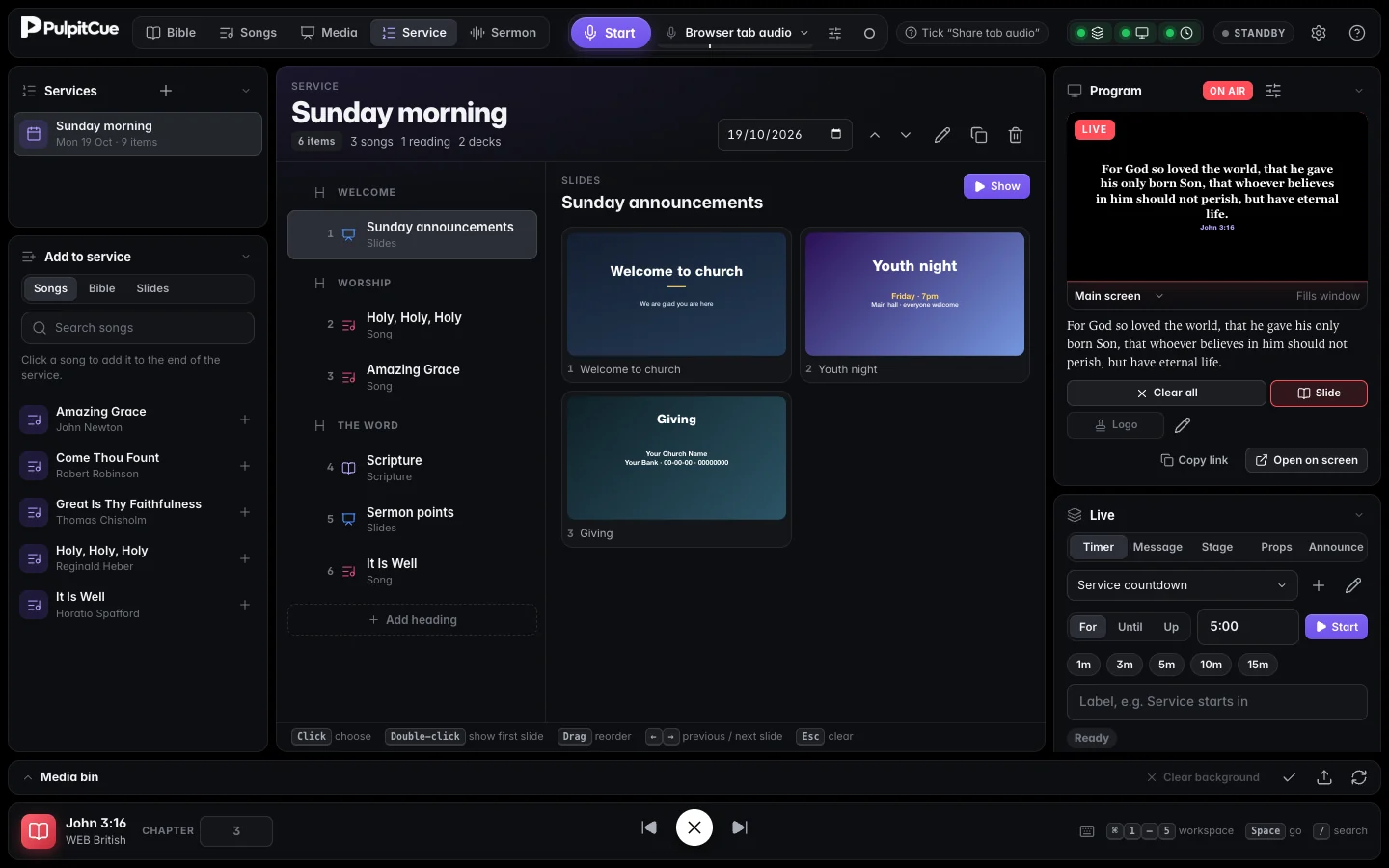 A service in running order. Click an item to see its slides on the right.
Plan a service
- Click + next to Services and give it a name. Set its date at the top of the running order.
- In Add to service (bottom left) choose Songs, Bible or Slides.
- Songs and slides. Search, then click a result to add it to the end of the service.
- Bible. Choose a passage and verse range and a Bible version, then press the add button. A reading keeps its chosen verses and version.
- Add headings with Add heading to break the order into sections.
- Drag items to reorder them, and add a short note to any item (for example “key of G”).
You can also add things from where they live: the Service button on a song, a passage in the Bible workspace, or a deck in Media.
Run it
- Click an item to see its slides, verses or deck on the right. Double-click it to show its first slide.
- Click a slide to show it.
Spaceand→go to the next slide,←to the previous. The Previous item and Next item arrows at the top move up and down the running order. Escclears the screen.
Reuse last week’s
Press Duplicate, change the date, and swap only what is different. The copy is named “… (copy)”; rename it with the pencil.
How services relate to your library
- Items point at the song or deck in your library. Editing a song or slide updates every service that uses it.
- If a song or deck is deleted, the item shows as missing instead of breaking the service.
- Deleting a service removes only the running order. Its songs, slides and readings stay in their libraries.
- Phones and tablets paired through Remote control can see the running order and take an item live.
Tip
Plan the service in Service, but keep a fallback: the Bible, Songs and Media workspaces are always one key away if the plan changes mid-service.
Still stuck?
Tell us what you were trying to do and we will help.